
Administering TidesDB with Admintool
January 10th, 2026
I’ve been asked quite a bit during TidesDB’s development about administering TidesDB instances using a GUI, CLI, REPL, etc. Is there a tool?
Well, there wasn’t a useful one, so I decided to spend time writing a new tool called Admintool, similar to Benchtool.
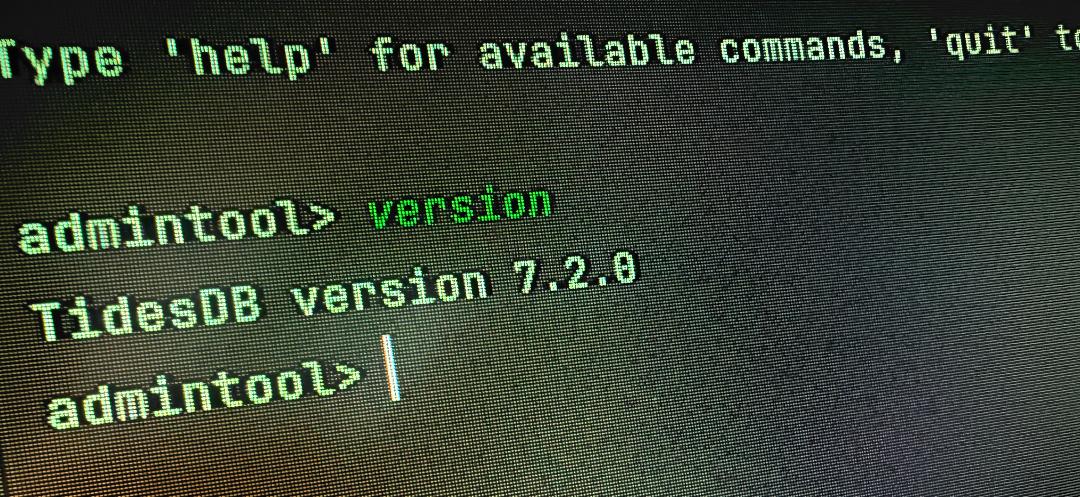
The idea was rather simple - offer a CLI where you can administer your TidesDB instance(s), from adding new column families, dumping data, CRUD operations, statistics, and more.
I wanted to create a CLI that was simple to use, and didn’t require a lot of setup, can install on any platform utilizing CMake, and be used without having to write a single line of code to review the contents of your TidesDB instance(s).
Getting Started
Building Admintool is straightforward with CMake:
cmake -B buildcmake --build buildOnce built, you can run it in interactive mode or pass commands directly:
# Interactive./admintool
# Open a db at startup./admintool -d /path/to/mydb
# Exec a single command and exit./admintool -d /path/to/mydb -c "cf-list"
The -c flag is particularly useful for scripting and automation.
Database Management
When you launch Admintool, the first thing you’ll want to do is open a database:
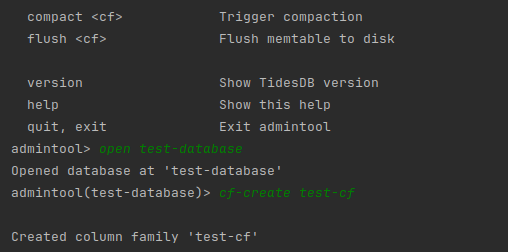
admintool> open /data/mydbOpened database at '/data/mydb'admintool(/data/mydb)>Notice how the prompt changes to show which database you’re connected to. You can get an overview of your database with the info command:
admintool(/data/mydb)> infoDatabase Information: Path: /data/mydb Column Families: 3 - users - sessions - events Block Cache: Enabled: yes Entries: 128 Size: 4194304 bytes Hits: 15234 Misses: 892 Hit Rate: 94.47%This gives you a quick snapshot of your column families and cache performance.
Column Family Operations
Managing column families is one of the core tasks. Here are the commands:
admintool(/data/mydb)> cf-listColumn Families (3):  users  sessions  events
admintool(/data/mydb)> cf-create logsCreated column family 'logs'
admintool(/data/mydb)> cf-drop logsDropped column family 'logs'
For detailed statistics on a specific column family, use cf-stats:
admintool(/data/mydb)> cf-stats usersColumn Family: users Memtable Size: 1048576 bytes Levels: 4 Configuration: Write Buffer Size: 4194304 bytes Level Size Ratio: 10 Min Levels: 4 Compression: lz4 Bloom Filter: enabled (FPR: 0.0100) Block Indexes: enabled Sync Mode: interval Level 1: 2 SSTables, 8388608 bytes Level 2: 5 SSTables, 41943040 bytes Level 3: 0 SSTables, 0 bytes Level 4: 0 SSTables, 0 bytesCRUD Operations
Admintool supports basic key-value operations, which is useful for quick debugging or manual data fixes:
admintool(/data/mydb)> put users user:1001 '{"name":"alice","email":"alice@example.com"}'OK
admintool(/data/mydb)> get users user:1001{"name":"alice","email":"alice@example.com"}
admintool(/data/mydb)> delete users user:1001OK
admintool(/data/mydb)> get users user:1001(nil)
For scanning data, you have three options:
# Scan all keys (default limit: 100)admintool(/data/mydb)> scan users 101) "user:1001" -> "{"name":"alice"}"2) "user:1002" -> "{"name":"bob"}"3) "user:1003" -> "{"name":"charlie"}"(3 entries)
# Range scanadmintool(/data/mydb)> range users user:1000 user:2000 101) "user:1001" -> "{"name":"alice"}"2) "user:1002" -> "{"name":"bob"}"(2 entries in range)
# Prefix scanadmintool(/data/mydb)> prefix users user: 101) "user:1001" -> "{"name":"alice"}"2) "user:1002" -> "{"name":"bob"}"(2 entries with prefix)
SSTable Inspection
This is where Admintool really shines. Being able to inspect SSTables directly without writing code is invaluable for debugging.
Listing SSTables
admintool(/data/mydb)> sstable-list usersSSTables in 'users': L1_1001.klog (4194304 bytes) L1_1002.klog (8388608 bytes) L2_1003.klog (2097152 bytes)(3 SSTables)SSTable Information
admintool(/data/mydb)> sstable-info /data/mydb/users/L1_1001.klogSSTable: /data/mydb/users/L1_1001.klog File Size: 4194304 bytes Block Count: 128 Last Modified: 1704067200 First Block Size: 32768 bytes Last Block Size (metadata): 1024 bytesDumping SSTable Contents
The sstable-dump command shows you exactly what’s inside:
admintool(/data/mydb)> sstable-dump /data/mydb/users/L1_1001.klog 10SSTable Entries (limit: 10):1) [blk:0] seq=1 key="user:1001" value="{"name":"alice"}"2) [blk:0] seq=2 key="user:1002" value="{"name":"bob"}"3) [blk:0] [DEL] seq=5 key="user:1003"4) [blk:0] [TTL:1704153600] seq=8 key="session:abc123" value="{"user_id":1001}"5) [blk:1] [VLOG:8192] seq=12 key="user:1004" value=(in vlog, 4096 bytes)
(5 entries dumped from 2 blocks)
Notice the flags:
- [DEL] tombstone (deleted entry)
- [TTL:timestamp] · entry with time-to-live
- [VLOG:offset] · value stored in separate vlog file
For entries with vlog references, use sstable-dump-full to retrieve the actual values:
admintool(/data/mydb)> sstable-dump-full /data/mydb/users/L1_1001.klog /data/mydb/users/L1_1001.vlog 10SSTable Full Dump (limit: 10):  KLog: /data/mydb/users/L1_1001.klog  VLog: /data/mydb/users/L1_1001.vlog
1) [blk:0] [VLOG:8192] seq=12 key="user:1004" value="{"name":"david","profile":"..."}"
(10 entries from 3 blocks)
SSTable Statistics
For a high-level overview of an SSTable’s contents:
admintool(/data/mydb)> sstable-stats /data/mydb/users/L1_1001.klogSSTable Statistics: /data/mydb/users/L1_1001.klog File Size: 4194304 bytes (4.00 MB) Block Count: 128 Total Entries: 50000 Tombstones: 1250 (2.5%) TTL Entries: 500 VLog References: 2500 Sequence Range: 1 - 75000 Key Sizes: min=8 max=64 avg=24.5 Value Sizes: min=32 max=4096 avg=256.8This is useful for understanding the composition of your data, how many deletes are pending compaction, how many entries use TTL, etc.
Keys Only
If you just want to see the key distribution:
admintool(/data/mydb)> sstable-keys /data/mydb/users/L1_1001.klog 10SSTable Keys (limit: 10):1) "user:1001"2) "user:1002"3) "user:1003" [DEL]4) "user:1004"5) "user:1005"
(5 keys listed)Key Range: "user:1001" to "user:1005"
Checksum Verification
To verify data integrity:
admintool(/data/mydb)> sstable-checksum /data/mydb/users/L1_1001.klogVerifying checksums: /data/mydb/users/L1_1001.klog  File Size: 4194304 bytes
Checksum Verification Results:  Total Blocks: 128  Valid: 128  Invalid: 0  Status: OK
If corruption is detected:
Checksum Verification Results: Total Blocks: 128 Valid: 125 Invalid: 3 Status: CORRUPTEDBloom Filter Analysis
TidesDB uses bloom filters to avoid unnecessary disk reads. You can inspect their effectiveness:
admintool(/data/mydb)> bloom-stats /data/mydb/users/L1_1001.klogBloom Filter Statistics: /data/mydb/users/L1_1001.klog Serialized Size: 65536 bytes Filter Size (m): 524288 bits (64.00 KB) Hash Functions (k): 7 Storage Words: 8192 (uint64_t) Bits Set: 125000 Fill Ratio: 23.84% Estimated FPR: 0.000012 (0.0012%)A high fill ratio (>50%) indicates the bloom filter may be less effective, leading to more false positives.
WAL Inspection
The Write-Ahead Log is critical for durability. Admintool lets you inspect it directly.
Listing WAL Files
admintool(/data/mydb)> wal-list usersWAL files in 'users': wal_0.log (1048576 bytes) wal_1.log (524288 bytes)(2 WAL files)WAL Information
admintool(/data/mydb)> wal-info /data/mydb/users/wal_0.logWAL: /data/mydb/users/wal_0.log File Size: 1048576 bytes Block Count (entries): 5000 Last Modified: 1704067200Dumping WAL Entries
admintool(/data/mydb)> wal-dump /data/mydb/users/wal_0.log 10WAL Entries (limit: 10):1) [PUT] seq=1 key="user:1001" value="{"name":"alice"}"2) [PUT] seq=2 key="user:1002" value="{"name":"bob"}"3) [DELETE] seq=3 key="user:1003"4) [PUT] [TTL:1704153600] seq=4 key="session:xyz" value="..."
(4 WAL entries dumped)
WAL Verification
To check WAL integrity:
admintool(/data/mydb)> wal-verify /data/mydb/users/wal_0.logVerifying WAL: /data/mydb/users/wal_0.log File Size: 1048576 bytes Valid Entries: 5000 Corrupted Entries: 0 Sequence Range: 1 - 5000 Status: OKIf corruption is found, it tells you where recovery is possible:
Valid Entries: 4850 Corrupted Entries: 150 Sequence Range: 1 - 4850 Last Valid Position: 983040 Status: CORRUPTED (recovery possible up to position 983040)Level Information
For understanding your LSM-tree structure:
admintool(/data/mydb)> level-info usersLevel Information for 'users':  Memtable Size: 1048576 bytes (1.00 MB)  Number of Levels: 4
  Level 1:    SSTables: 2    Size: 8388608 bytes (8.00 MB)  Level 2:    SSTables: 5    Size: 41943040 bytes (40.00 MB)  Level 3:    SSTables: 12    Size: 125829120 bytes (120.00 MB)  Level 4:    SSTables: 0    Size: 0 bytes (0.00 MB)
  Total SSTables: 19  Total Disk Size: 176160768 bytes (168.00 MB)
Verification and Maintenance
Verify Column Family Integrity
admintool(/data/mydb)> verify usersVerifying column family 'users'...
Verification Results:  SSTables: 19 total, 19 valid, 0 invalid  WAL Files: 2 total, 2 valid, 0 invalid  Status: OK
Trigger Compaction
admintool(/data/mydb)> compact usersCompaction triggered for 'users'Flush Memtable
admintool(/data/mydb)> flush usersMemtable flushed for 'users'Command Reference
Here’s a quick reference of all available commands:
| Command | Description |
|---|---|
open <path> | Open/create database at path |
close | Close current database |
info | Show database information |
cf-list | List all column families |
cf-create <name> | Create column family with defaults |
cf-drop <name> | Drop column family |
cf-stats <name> | Show column family statistics |
put <cf> <key> <value> | Put key-value pair |
get <cf> <key> | Get value by key |
delete <cf> <key> | Delete key |
scan <cf> [limit] | Scan all keys (default limit: 100) |
range <cf> <start> <end> [limit] | Scan keys in range |
prefix <cf> <prefix> [limit] | Scan keys with prefix |
sstable-list <cf> | List SSTables in column family |
sstable-info <path> | Inspect SSTable file |
sstable-dump <path> [limit] | Dump SSTable entries |
sstable-dump-full <klog> [vlog] [limit] | Dump with vlog values |
sstable-stats <path> | Show SSTable statistics |
sstable-keys <path> [limit] | List SSTable keys only |
sstable-checksum <path> | Verify block checksums |
bloom-stats <path> | Show bloom filter statistics |
wal-list <cf> | List WAL files in column family |
wal-info <path> | Inspect WAL file |
wal-dump <path> [limit] | Dump WAL entries |
wal-verify <path> | Verify WAL integrity |
wal-checksum <path> | Verify WAL block checksums |
level-info <cf> | Show per-level SSTable details |
verify <cf> | Verify column family integrity |
compact <cf> | Trigger compaction |
flush <cf> | Flush memtable to disk |
version | Show TidesDB version |
help | Show help |
quit, exit | Exit admintool |
CLI Options
| Option | Description |
|---|---|
-h, --help | Show help message |
-v, --version | Show version |
-d, --directory <path> | Open database at path |
-c, --command <cmd> | Execute command and exit |
Generally I think this tool is useful for debugging and maintenance tasks, RocksDB has a similar tool called ldb. With Admintool, features are welcome, if you have any suggestions or questions, do make an issue on Github.
Thanks for reading!
Links
- GitHub · https://github.com/tidesdb/tidesdb
- Design deep-dive · https://tidesdb.com/getting-started/how-does-tidesdb-work
- Admintool · https://github.com/tidesdb/admintool
- Discord · https://discord.gg/tWEmjR66cy